 Karo Budget
Know what's left for today.
A calm monthly budget in rupees. Plan the month once, and Karo Budget turns it into one number you can live by, every day.
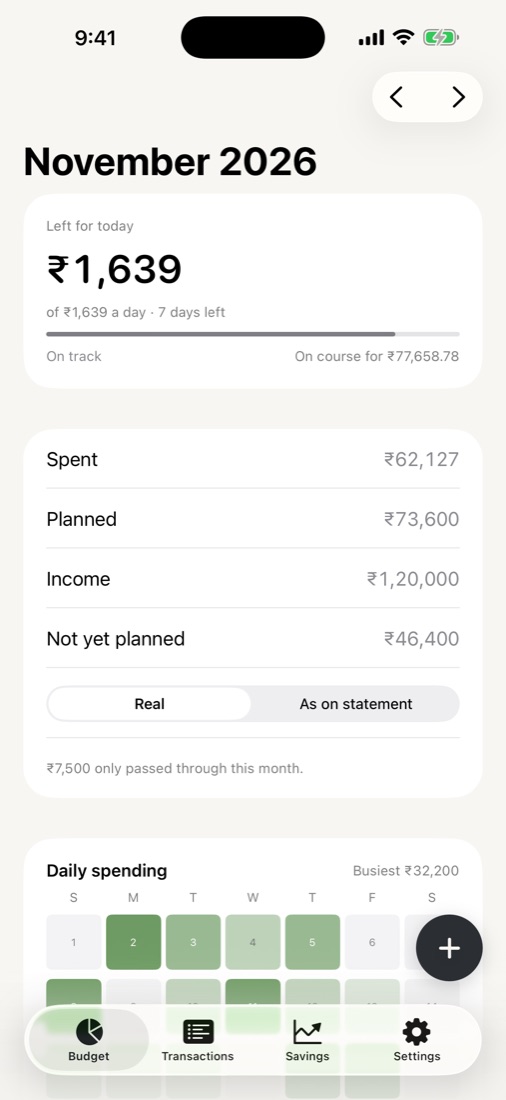
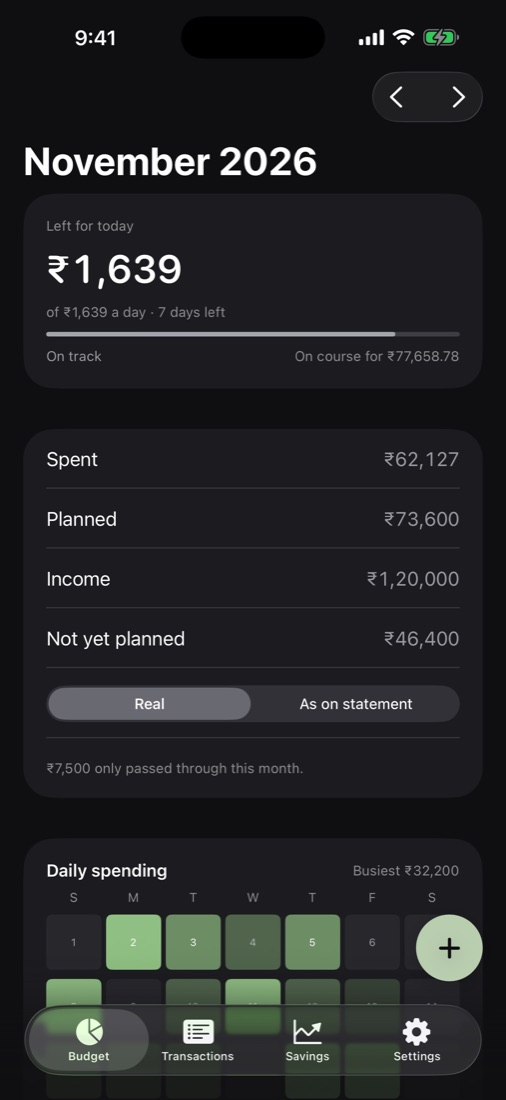
One number, every morning.
Income, minus what you've planned, minus what you've spent, spread over the days that are left. Spend less today and tomorrow gets a little more. It's the only maths you need.
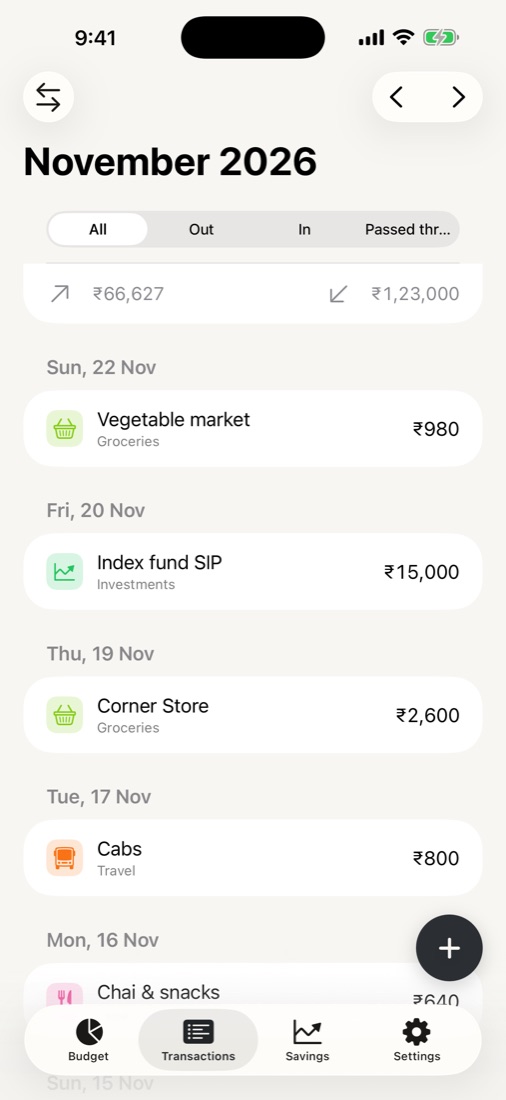
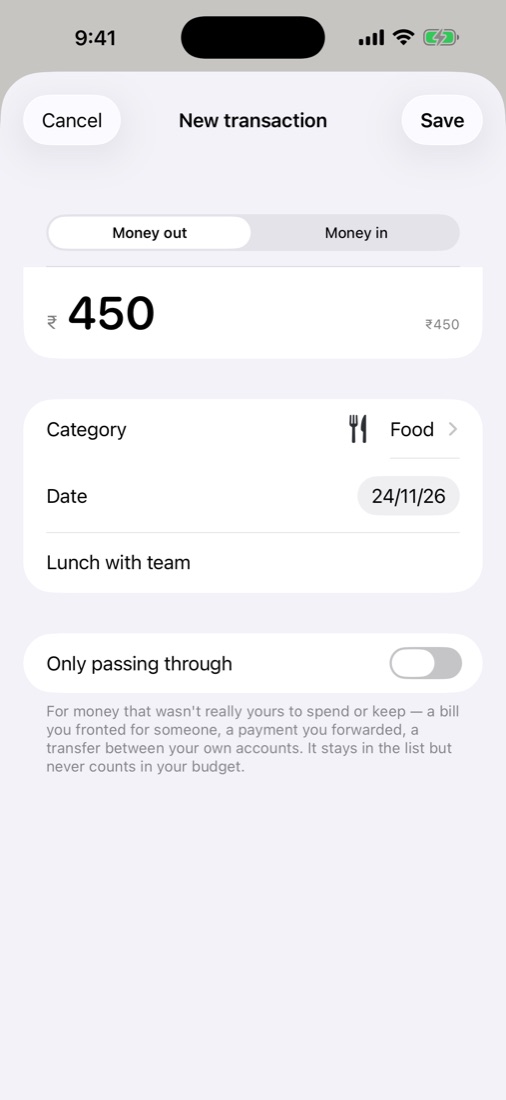
Money that only passes through, like a friend's share you'll hand back, stays out of the way with As on statement versus Real.
A plan you can actually keep.
Give each group a monthly amount, then watch it fill as you spend. Copy a month's plan into the next, edit it any time, and see at a glance where you're over.
See your month at a glance.
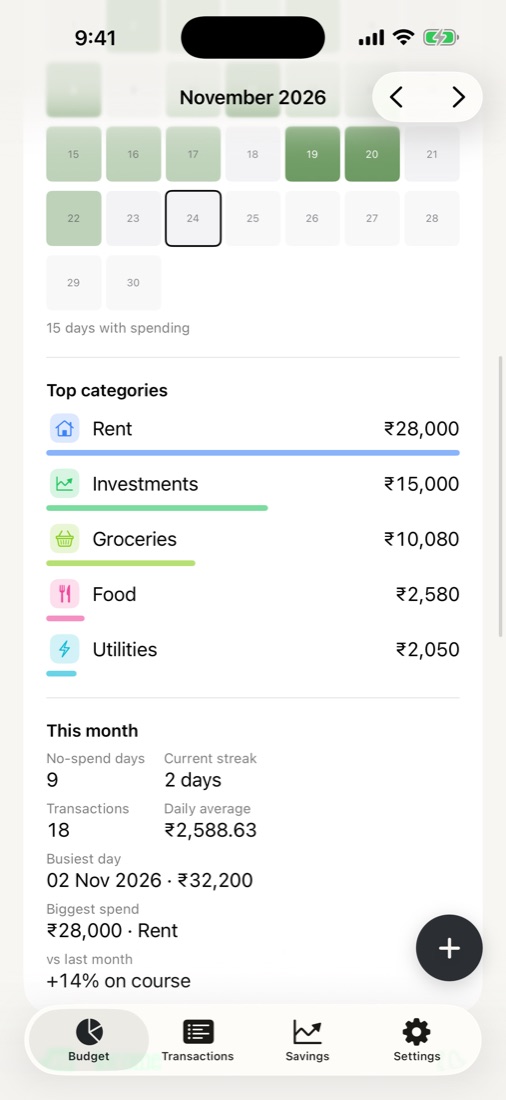
A heat map of the month shows your heavy days and your quiet ones. Below it: top categories, no-spend days, your streak, the busiest day and how this month compares with the last.
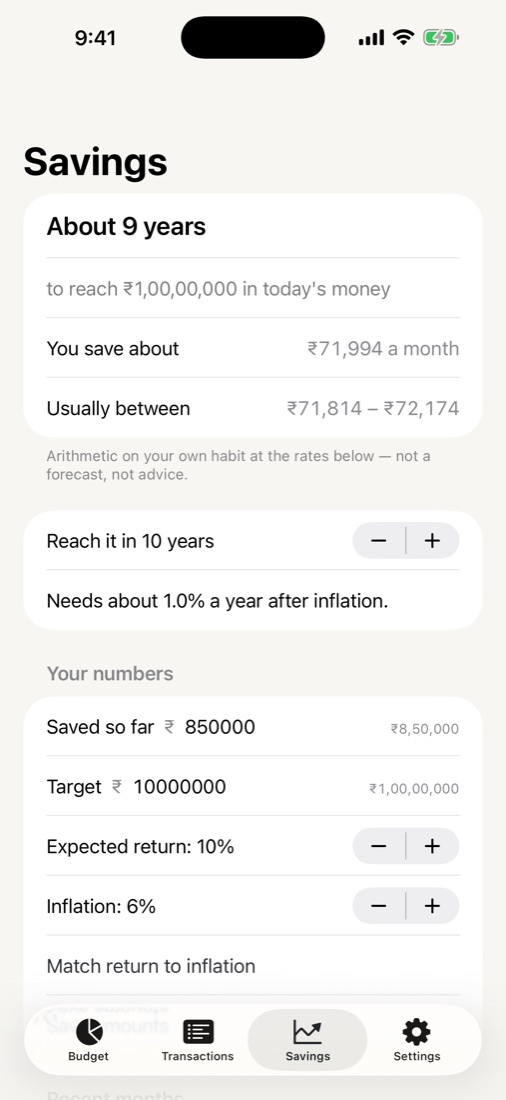
Where your habit is heading.
Tell it what you've saved and where you're aiming. Karo Budget shows how long your saving habit takes to get there in today's money, with the range it usually falls in. Plain arithmetic on your own numbers, not a forecast.
And a new way to see your pay: what your time earns, counted around the clock or over your working hours.
Your bank statement, sorted by any AI chat.
No bank logins, no scraping. Karo Budget gives you a prompt that knows your categories; you take it to the AI chat you already use, and bring back clean transactions.
Copy the prompt
It lists your own categories so the chat can suggest them.
Paste it with your statement
In any AI chat you choose. Karo Budget never sees your statement or the chat.
Paste the answer back
Check each line, fix a category, and add them all in one go.
Small things, done properly.
Split a line
One statement line, several categories. Groceries and a gift on the same card swipe.
Fronted & passed on
Track money you paid for someone, or need to hand on, and settle pairs when it's square.
iCloud sync
Across your devices through your own private iCloud, with status at a glance and pull to sync.
CSV backup
Back up and restore whenever you like. Backups from every older version still work.
Light and dark
A calm look in both, with groups and categories you name and colour yourself.
Fresh start
Reset a month or a whole year when you want a clean slate, without touching the rest.
Your budget, beside the notch.
Perch for Mac has an optional Money tab: safe to spend today, budget against actual, and quick expenses from the ⌘K palette ("spent 250 coffee #food"). It works on its own, and stays in step with Karo Budget through your iCloud if you use both.
Meet Perch →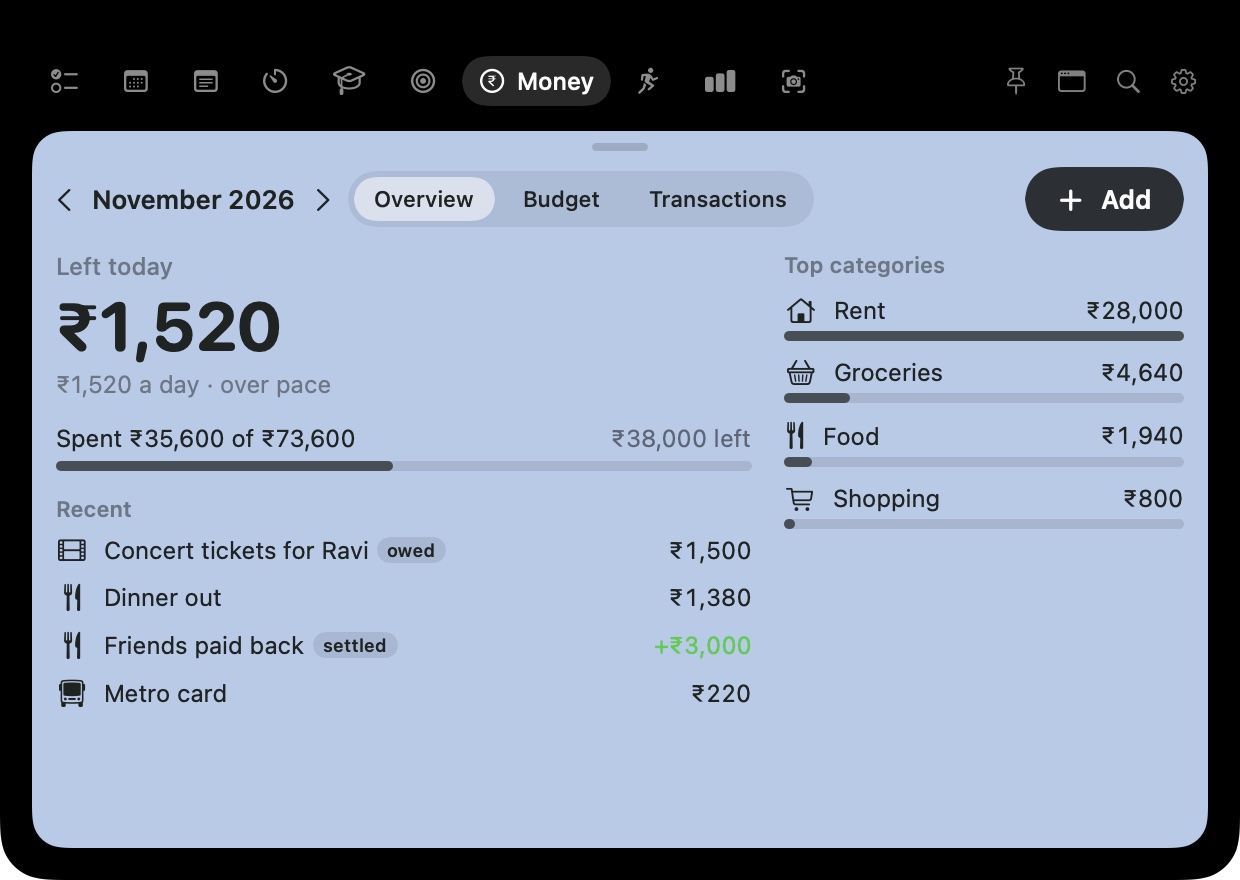
Your money is nobody's business.
No account, no ads, no analytics, no bank connections. Here's the whole story.
Every transaction, plan and category is stored on your device.
Sync goes through your private iCloud database. Only your Apple ID can read it, not the developer.
Nothing connects to your bank. Import is a prompt you take to an AI chat yourself.
CSV files you save where you like. Delete the app and its data is gone from your device.
Questions
Is it free?
Yes. No subscription, no ads, no in-app purchases.
Does it work outside India?
It's built around rupees and Indian number formatting (₹1,20,000), but the budgeting works anywhere.
I used the old version. Is my data safe?
Yes. Transactions, monthly plans, groups, categories, splits and settled pairs all move across automatically the first time you open the new version, and older CSV backups still restore.
Does it read my bank SMS or connect to my bank?
No. You add transactions yourself, or import a statement through an AI chat of your choice. Karo Budget has no access to your bank.
What does “left for today” mean?
Your income for the month, minus what you've planned and what you've already spent, divided across the days remaining. It updates as you go.

Make this month a calm one.
Karo Budget is free on the App Store.