 just for run
Free GPS run tracker for iPhone
One button.Everyactivity.
Run, walk, ride or hike. Your route draws live, splits arrive by voice, and the lock screen keeps count. Everything stays yours.
Pick it. Start it. Go.
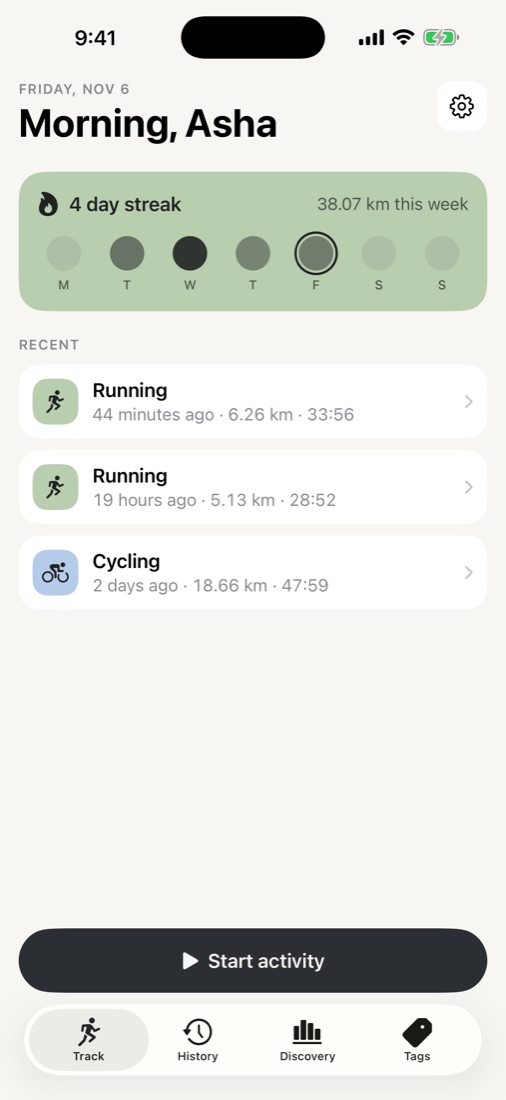
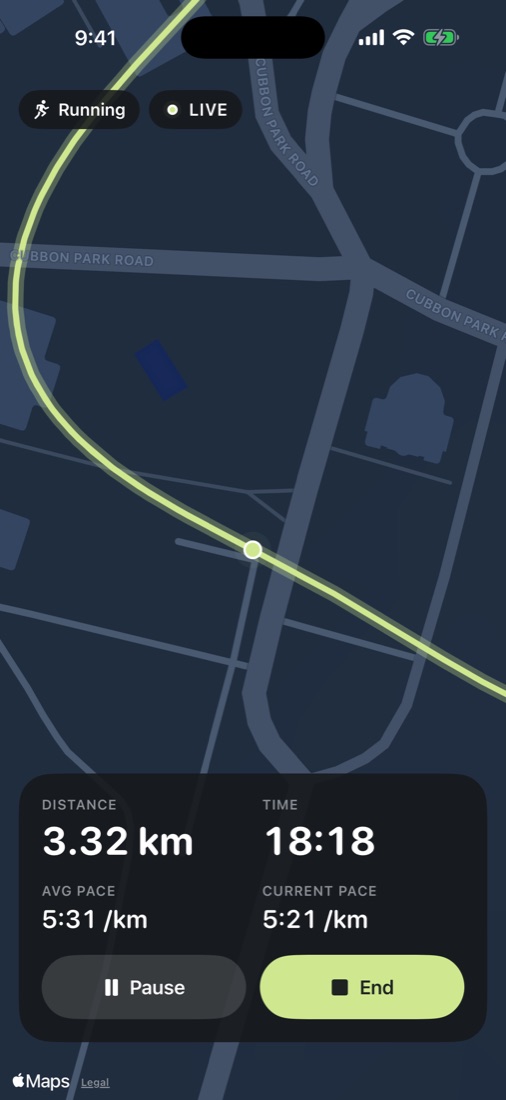
No setup screens, no sign-in. Choose an activity, tap Start, and your route draws on the map as you move, with distance, time and pace for runs, or speed for rides.
Pocket it. It keeps counting.
Distance, time and pace sit on your lock screen and in the Dynamic Island. Recording carries on when the phone is locked or you switch apps, and every GPS point is saved as it arrives, so nothing is lost if the app is ever closed.
Stand still. Stay still.
Waiting at a signal used to scribble all over the map and add distance you never ran. just for run filters out shaky fixes, so a pause is a pause and your distance is the distance you moved.
Every kilometre, out loud.
A calm voice reads each split as you pass it, so your phone can stay in your pocket. Afterwards, splits, best pace and elevation are waiting, on the map or as a route poster. Kilometres or miles, your choice.
Your running page, on your terms.
Turn on a profile page with your totals, streaks for each activity, personal bests, an activity calendar and recent routes. You choose every piece of it, leave out activities you'd rather keep private, and turning it off deletes it.
Streaks that know what you did.
Filter history, totals and streaks by activity, so a ride doesn't keep your running streak alive. Make tags of your own for anything you track.
Streaks per tag
Current and best streak for running, cycling, or each tag you make.
Discovery
This week by day, lifetime totals and your longest, filtered by activity.
iCloud sync
Across your devices through your own private iCloud. Pull down to sync now.
Your runs, beside the notch.
Perch for Mac has an optional Runs tab: the weekly chart, streaks by activity, and a big map window for any run, coloured by pace. It reads the same private iCloud.
Meet Perch →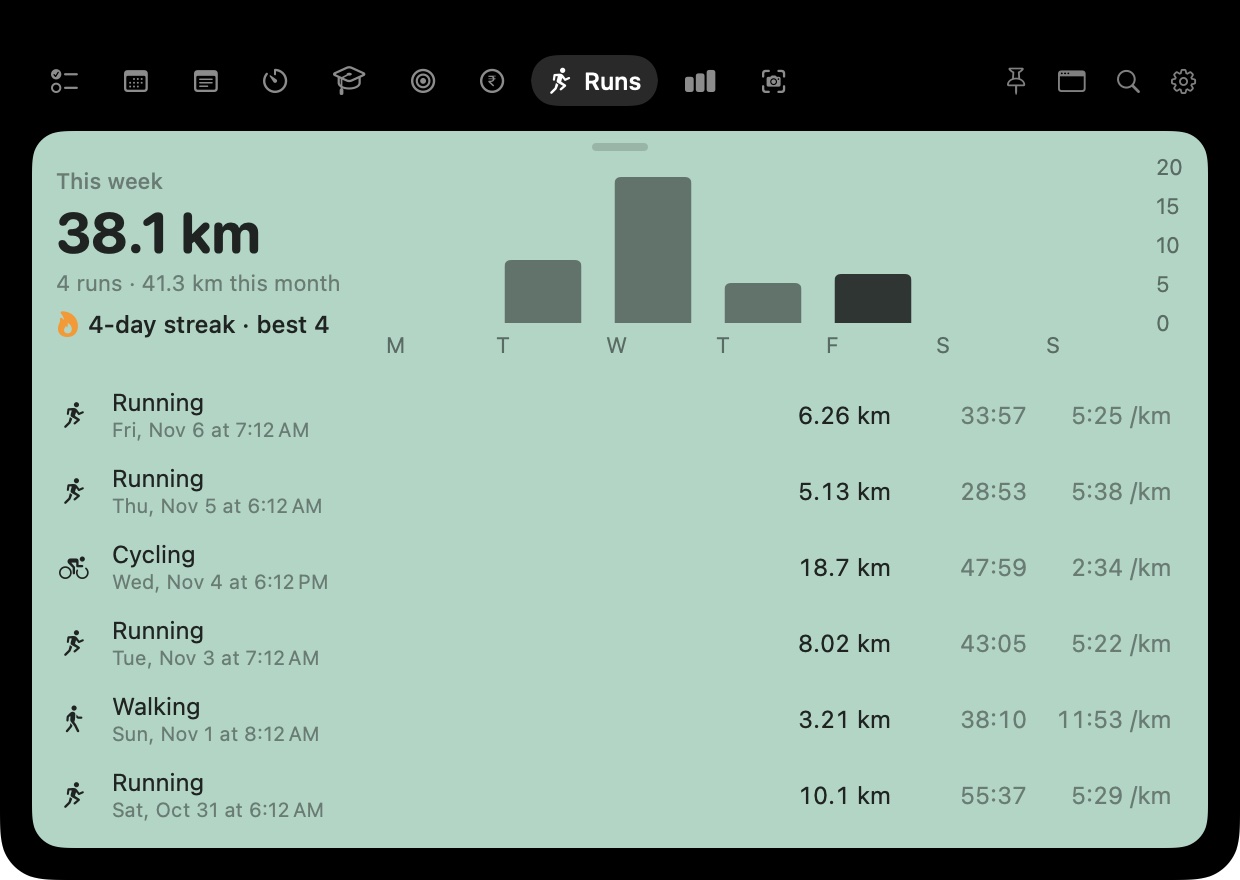
No account. No ads. No tracking.
Your activities belong to you. Here's exactly where they go.
GPS is used during an activity and never otherwise. “Always” access is optional and only keeps a recording going with the phone locked.
Activities live on your device and sync only through your own private iCloud. The developer can't see them.
A shared run is packed into the link after “#”, which browsers never send to the server.
Off by default. Only what you choose is published, and turning it off deletes it.
Questions
Is it free?
Yes. No subscription, no ads, no in-app purchases.
Does it work without internet?
Yes. GPS doesn't need a data connection, and every point is saved on your phone as it arrives. The map tiles may not load while you're offline, but your route is recorded and drawn as soon as you're back online. Sync catches up on its own.
Will it drain my battery?
Location is only used while an activity is recording. When you stop, GPS stops.
Can I bring my activities from the old version?
Yes. Updating from 1.0 moves every activity, route, tag and setting across the first time you open the new version. JSON backup and restore works with every version.
Who can see a shared link?
Anyone you send it to. The run is inside the link itself, so there's nothing stored online to delete; if you want an address that can be taken down, use the public profile, which you can switch off at any time.
Lace up.
Tap once.
just for run is free on the App Store.